- Open a POST or a PAGE.
- Select ADD MEDIA
- Select UPLOAD FILES [top of page]
- Select Files – pick your file
- Select File Size on bottom right
- Select LINK TO – custom url or attachment page or none
- INSERT INTO POST – UPDATE

DIGITAL MEDIA / TECHNOLOGY / RANOA
Put TEXT here that you want to HYPERLINK.
 link icon.
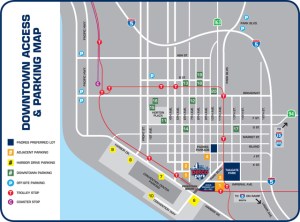 What is this charge on my account?
GASLAMP GARAGE SAN DIEG
Let me tell you what it is. You better read the print on the drive in at the garage. $8.00 hourly + $5.00 [CITY OF SD 6TH AND K PSAN DIEG].

Salsa / Learn to Dance Salsa / Salsa for Beginners
This post is here as a demo for my exploratory class. Can you attract 100+ unique views in 5 days?

